RockCloud-基石云安全-官方博客
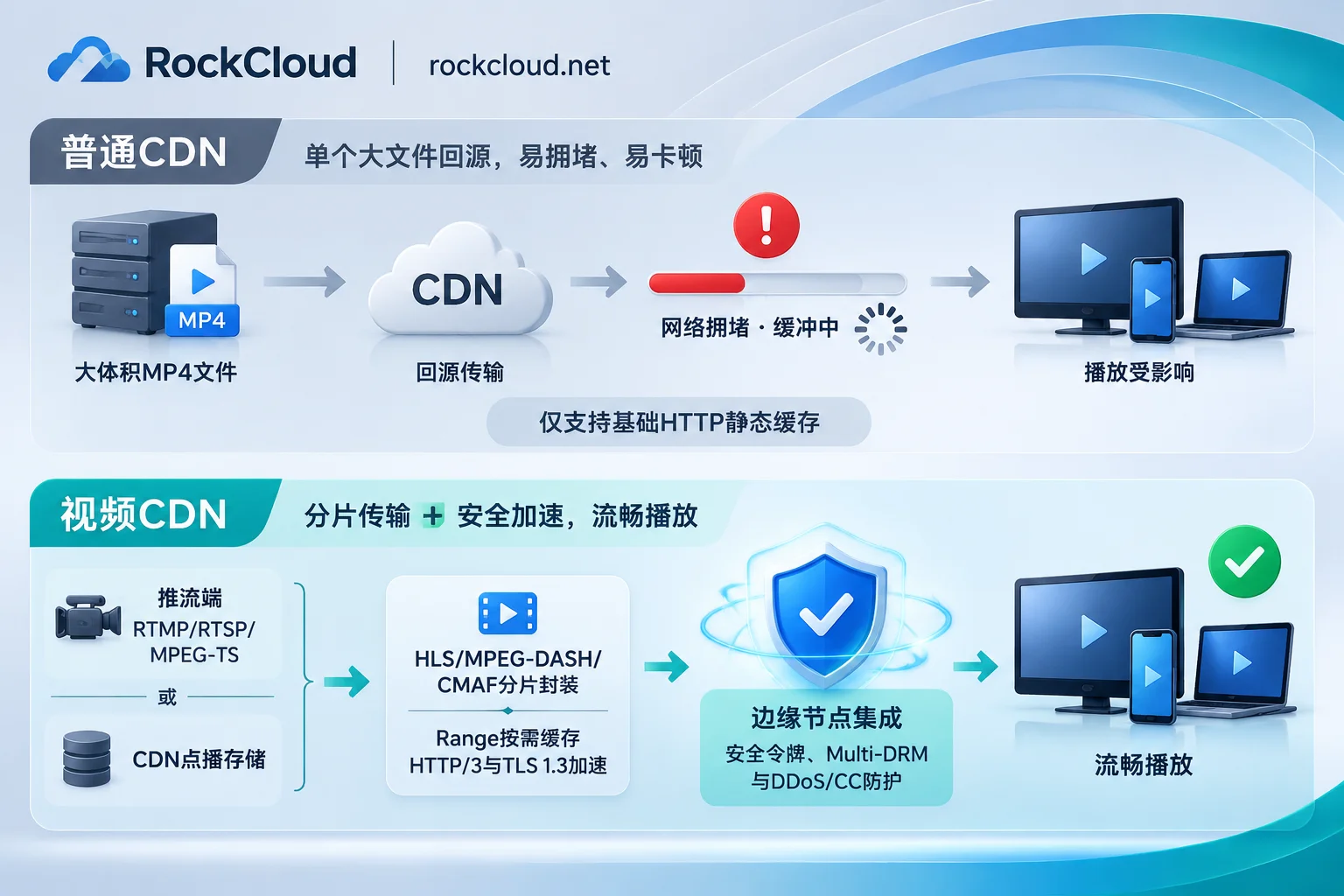
The biggest difference between video CDN and ordinary CDN lies in the "transmission model" and "protocol stack": ordinary CDN is designed for static small files such as web pages, images, JS/CSS, and its core logic is "whole-file caching"; while professional video CDN is specially optimized for VOD large-file sharding and live real-time transmission, covering push stream ingest, slicing and encapsulation, Range shard origin-pull, adaptive bitrate scheduling, and anti-leech protection.
If you only put a few dozen seconds of promotional video on your official website, ordinary CDN is barely enough; but as long as your business involves long video VOD, online courses, short video feeds, e-commerce/sports live streaming, or paid video distribution, directly applying ordinary static CDN often leads to three major pitfalls: slow first-screen start with spinning loader, freezing when dragging the progress bar, and peak-hour origin-pull bandwidth crushing the origin server.
The following explains in one go from architecture differences, VOD and live selection, stuttering troubleshooting to actual deployment configuration, how to choose for video business.
I. Four Core Differences Between Video CDN and Ordinary CDN
1. Different Caching Mechanisms: Whole-Package Pull vs Range Sharding and Slice Caching
Ordinary CDN by default caches static resources as complete files. If a 1GB MP4 file is placed on ordinary CDN, when users click play or drag the progress bar, edge nodes often need to pull large chunks or even the entire file from the origin, which slows down first-screen response and wastes a lot of invalid origin-pull traffic.
Video CDN has made underlying cache modifications for streaming media:
- HTTP Range shard on-demand origin-pull: When a user just opens a video, the node only caches and delivers the data blocks for the first few seconds; when the user fast-forwards or jumps the progress bar, it precisely requests the corresponding byte range, balancing "instant start rate" and origin load.
- Slice-level hot caching: For HLS (
.m3u8+.ts/.m4s) or MPEG-DASH streams, video CDN caches hot slices at high frequency while avoiding live playlists being incorrectly cached long-term and causing playback stalls.
2. Different Protocol Stacks: Pure HTTP Static vs Push Stream Ingest and Multi-Encapsulation Compatibility
Ordinary CDN is only responsible for HTTP/HTTPS static pulling; while video business, especially live streaming, spans three segments: "push stream end—edge scheduling—playback end":
- Uplink push stream ingest: Needs to natively receive push stream protocols such as RTMP, RTSP, HLS, MPEG-DASH, MPEG-TS from encoders or push stream software.
- Downlink multi-terminal playback: PC browsers, iOS, Android, and smart TVs do not support a unified format, so video CDN needs to support playback protocols such as MP4, HLS, MPEG-DASH, and CMAF.
Among them, CMAF (Common Media Application Format) has been particularly critical in recent years: it allows the same media slice to serve both HLS and MPEG-DASH players simultaneously, without storing two sets of duplicate slices at the edge, saving cache space and better cooperating with low-latency distribution and new encoding formats.
3. Different Network Transmission Goals: Single Response vs Sustained High Throughput and Low Jitter
If a web image loads half a second slower, users hardly notice; but video playback requires sustained and stable throughput bandwidth. Once jitter and packet loss occur on public networks across regions or during peak hours, the player buffer will quickly run out, and the interface will immediately spin.
Therefore, video CDN usually introduces HTTP/3 (based on QUIC to reduce head-of-line blocking in weak network environments) and TLS 1.3 0-RTT (compressing encrypted handshake time) at the edge layer, combined with more refined multi-line intelligent routing to reduce start delay and secondary buffering rate.
4. Different Security and Anti-Leech Requirements: Anti-Scanning vs Copyright Protection and Anti-Hotlinking
The volume of a single video request is much larger than a web image. Once the playback address is captured and hotlinked or encounters malicious concurrent streaming, not only core copyrighted content is leaked, but the origin and CDN bills charged by traffic will also instantly spiral out of control. Therefore, professional video CDN usually integrates signed token authentication, IP and region blocking, Multi-DRM (Multi Digital Rights Management), and edge DDoS/CC scrubbing.
II. How to Choose Between VOD and Live?
Although both VOD and live are called video distribution, their emphasis on CDN architecture is completely different. When selecting, it is recommended to check against business types:
| Comparison Dimension | Video VOD Scenarios | Online Live Scenarios |
|---|---|---|
| Typical Businesses | Online education recorded courses, movie VOD, short videos, corporate training libraries | Sports live streaming, live commerce, game live streaming, interactive open classes |
| Core Pain Points | Slow start for large files, freezing when dragging, expensive origin-pull for long-tail niche content, paid videos hotlinked | High latency, stuttering in anchor push or viewer pull, sudden high concurrency, push stream interface attacked |
| Origin and Storage | Focus on whether it supports directly storing VOD files into CDN storage as origin, saving the pressure of self-built high-bandwidth origin | Focus on push stream ingest stability, multi-node hot backup, and origin hiding |
| Key Protocols | Playback supports MP4, HLS, MPEG-DASH, CMAF | Push stream supports RTMP/RTSP/HLS/MPEG-DASH/MPEG-TS; playback supports HLS/DASH/CMAF |
| Must-Have Value-Added Items | Security token (signed URL), IP/region blocking, Multi-DRM, multi-bitrate transcoding | Real-time transcoding (adaptive bitrate ABR), DVR (live time-shift replay), low-latency optimization |
III. Why Is Video Still Stuttering After Using CDN? 4 High-Frequency Troubleshooting Points
Many teams report "we clearly bought CDN, but users still say it stutters." This usually occurs in the following four aspects:
- Encoding and GOP parameters not matched: If the GOP (keyframe interval) of live push stream is not fixed or too long, slices cannot be generated and switched in time, causing frequent buffering on the playback end; at the same time, if only a single high bitrate is pushed (for example, only 1080P high bitrate) without multi-bitrate transcoding, mobile network or overseas weak network users will inevitably stutter.
- Cross-border/cross-network backhaul detours: If the origin is overseas or the target audience is distributed across mainland China and overseas, ordinary overseas CDN often lacks optimized routes for China Telecom, China Unicom, and China Mobile in mainland China. When cross-border packet loss is high during peak hours, even edge nodes cannot guarantee smoothness. For this pain point, you can refer to the link troubleshooting methods in Why ICP-free CDN is Slow to Access in China.
- Origin overload due to CC attacks or malicious hotlinking: The live push stream entrance is maliciously stress-tested, or a large number of scripts frequently request VOD slices, causing node origin-pull congestion or even origin server downtime. For specific emergency response ideas, you can refer to How to Handle Live Push Stream Stuttering Under CC Attacks and What to Do When Video CDN Is Maliciously Hotlinked and DDoS Attacked.
- Origin-pull timeout and single-origin bottleneck: VOD has many long-tail contents. If CDN is not configured with reasonable origin-pull retries, backup origin rules, or files are not hosted in CDN storage, once the primary origin fluctuates, all requests that miss the cache will directly fail.
IV. Connecting Video Business to RockCloud: Smooth Distribution, Cross-Border Acceleration, and Anti-Leech/Anti-Attack in One Go
If your video business simultaneously faces requirements such as multi-protocol compatibility, cross-border/ICP-free access, anti-leech and anti-DDoS/CC attacks, you can entrust the basic delivery layer to RockCloud:
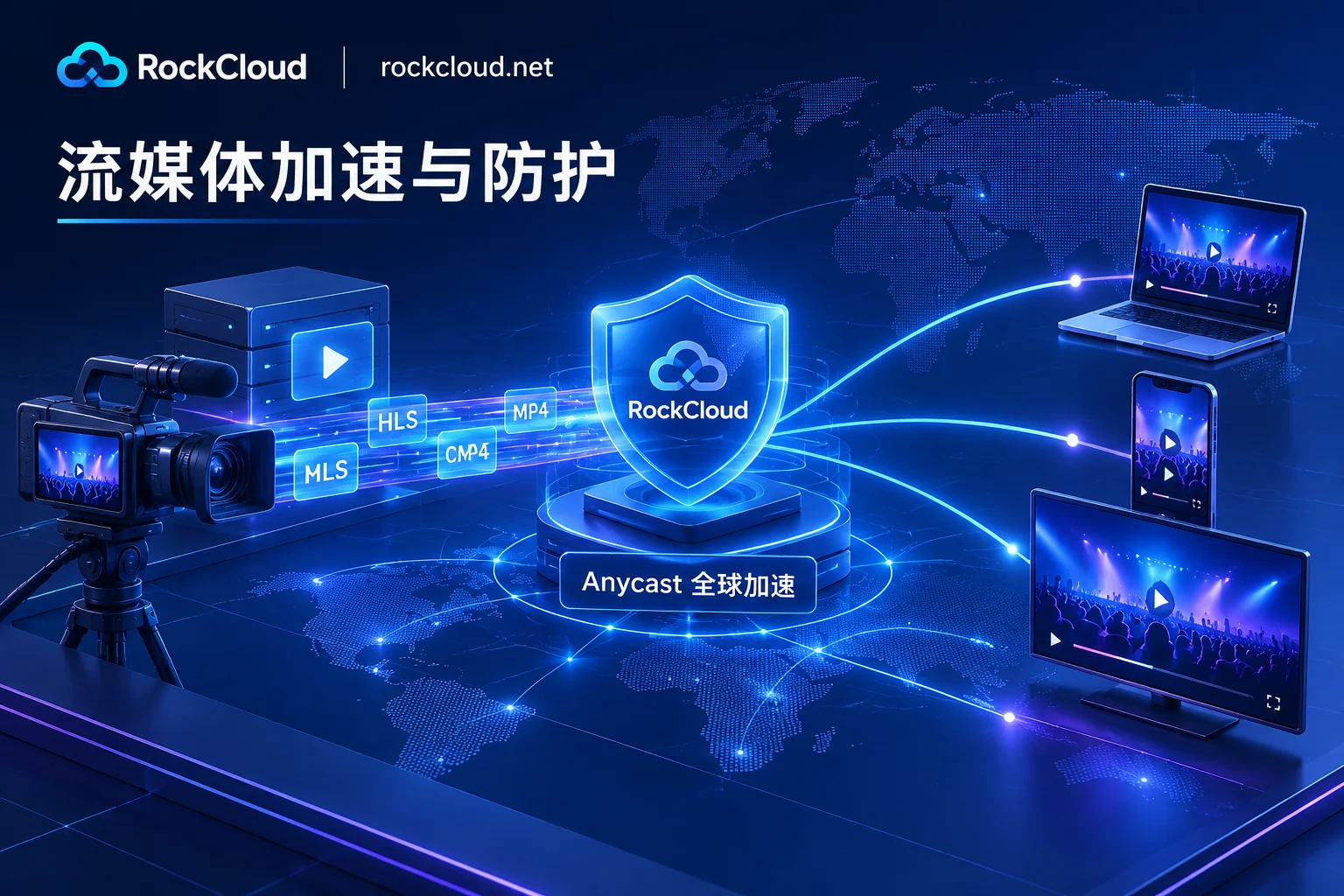
- Integrated Protocol Support for VOD and Live: RockCloud Video CDN supports both live and VOD distribution. The playback end is compatible with MP4, HLS, MPEG-DASH, CMAF, and the live push stream end supports RTMP, RTSP, HLS, MPEG-DASH, MPEG-TS. For VOD business, you can also directly store VOD files into CDN storage as origin, eliminating the need to purchase and maintain high-bandwidth origin servers separately; if you need transcoding, DVR (time-shift replay), or HTML5 player with audience analytics, on-demand customized quotes are also supported.
- Global Low-Latency Transmission and ICP-Free Return-to-China Optimization: Relying on RockCloud's Global CDN Acceleration Network, Anycast provides nearby access and automatically selects routes based on latency, natively supporting HTTP/3, TLS 1.3 0-RTT and custom caching, origin-pull retries, and backup origin rules. If the audience covers mainland China and you want to avoid the ICP filing process, you can add CN2 China Acceleration (billed separately), using nodes around China such as Hong Kong, Japan, South Korea, and Singapore, and returning to China directly through China Telecom CN2 GIA, China Unicom AS9929, and China Mobile CMI networks.
- Full-Chain Closed Loop from Anti-Leech to High-Defense Scrubbing: Built-in security tokens and signed URLs, IP and region black/white lists, anti-leech, and Multi-DRM protect paid and copyrighted content; at the same time, DDoS/CC distributed scrubbing, intelligent WAF, and free fully automated SSL run directly on the same acceleration link, without the need to purchase security products separately. When connecting, you only need to add a CNAME record at your original DNS provider (without changing NS; for specific principles, see Do You Need to Change NS When Using High-Defense CDN).
- Fixed Peak Billing to Avoid Sky-High Bills from Malicious Hotlinking: RockCloud packages are billed monthly by default, based on fixed peak, with unlimited traffic and requests (for specific defense specifications, node coverage, test duration, and prices, refer to the official pricing page). You can first contact customer service to determine business specifications and apply for a free test, then officially switch after running through.
V. 5-Step Checklist Before Video CDN Goes Live
Before finalizing the provider and switching traffic, it is recommended to do a pre-launch self-check according to the following 5 steps:
- Confirm source format and GOP: For VOD, prioritize encapsulating into HLS/CMAF multi-bitrate slices; for live, ensure the push stream GOP is fixed at 1–2 seconds, combined with adaptive bitrate to cope with weak networks.
- Decide the origin storage method: For self-built origins, be sure to only allow CDN origin-pull IPs to prevent origin exposure; when the VOD library is large, prioritize directly storing in CDN hosted storage.
- Complete access control rules: Enable signed URL (security token) and Referer/IP/region black/white lists upon launch, and enable Multi-DRM simultaneously for high-copyright business.
- Actually test cross-network playback experience during peak hours: Use Telecom, Unicom, and Mobile networks in the target region to actually test first-screen start time, drag loading speed, and continuous playback packet loss.
- Check billing and anti-attack fallback: Confirm whether the package includes DDoS/CC defense, and whether sudden high concurrency or malicious hotlinking will generate uncontrollable excess traffic bills.