 RockCloud-基石云安全-官方博客
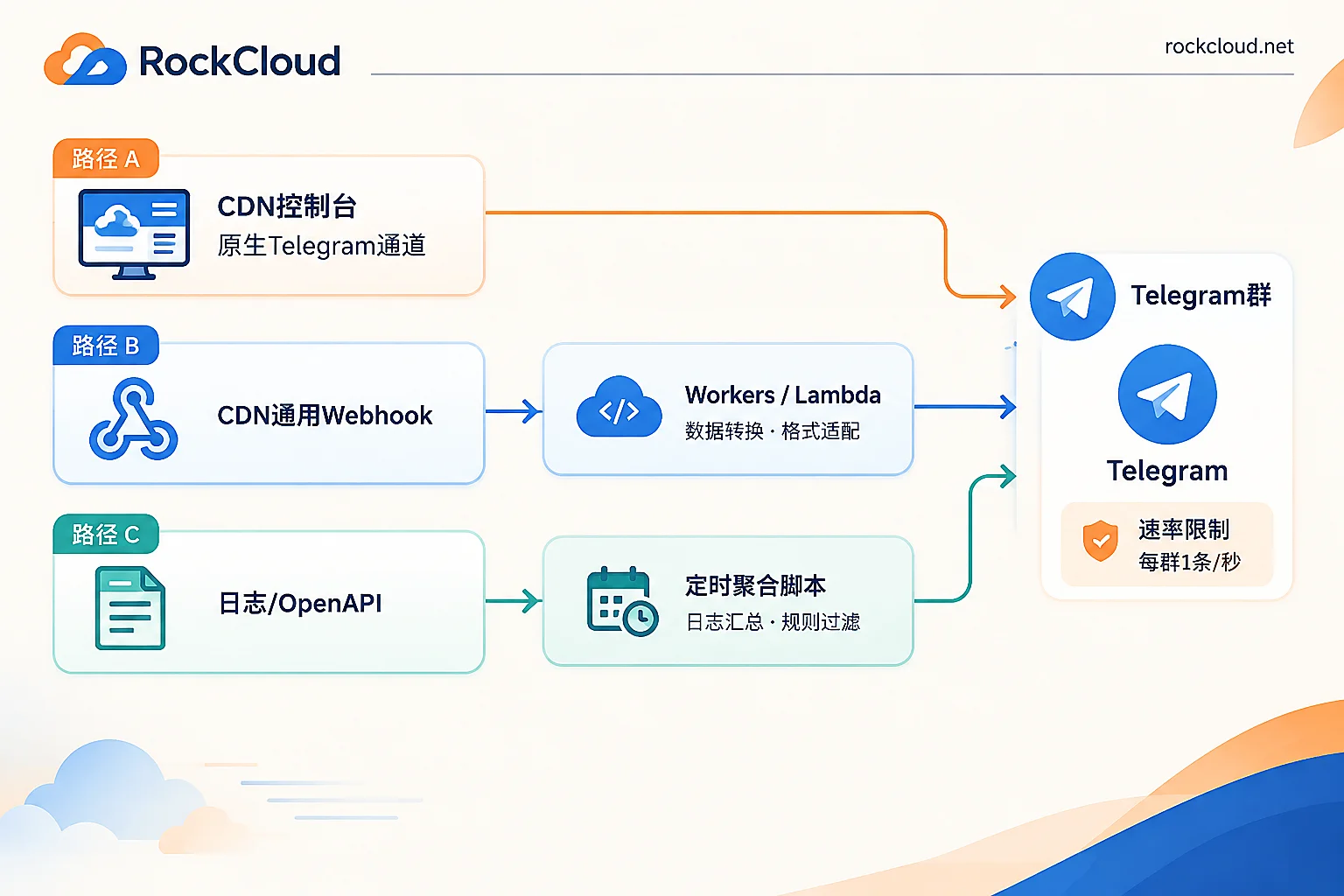
If you want attack blocks, bandwidth spikes, and origin failures to pop up on your phone immediately, Telegram is the most hassle-free destination for ops groups. But how to integrate depends on what your CDN console looks like. Making this judgment first can save you most of the work:
- The console's notification/monitoring page has a Telegram option: enter the Bot Token and Chat ID, tick events, done. No server, no code.
- Only a "Generic Webhook" or "Custom Callback URL" is available: platforms like Cloudflare, AWS, and Alibaba Cloud send JSON payloads that are incompatible with the Telegram Bot API parameters. A conversion layer (Workers, Lambda, or a small container) is required in between.
- No Webhook at all, only log downloads or OpenAPI: this is not "push alerts" but "pull data on a schedule and send". Write a scheduled script to aggregate and post to a channel.
The Telegram-side preparation is the same for all three paths. Do that first.
Step 1: Get the Bot Token and Chat ID
- In Telegram, search for
@BotFather, send/newbot, follow the prompts to set a name and username, and get an HTTP API Token like123456789:ABC-DEF1234ghIkl.... Treat this string like a password; never commit it to a Git repository. - Create an ops group and add the bot. If the group has privacy mode or restricted posting, make sure the bot has permission to send messages.
- Get the Chat ID: send any message in the group (this step is mandatory; without a new message,
getUpdatesreturns empty), then openhttps://api.telegram.org/bot<TOKEN>/getUpdatesin your browser and findchat.idin the returned JSON. Group IDs are negative numbers; supergroups usually start with-100. Copy it exactly, don't drop the minus sign. You can also add@RawDataBotto the group and see the ID it echoes back. - Verify the channel:
curl -s "https://api.telegram.org/bot<TOKEN>/sendMessage" \
  -d chat_id="-1001234567890" \
  -d text="CDN告警通道测试"
A return of "ok":true means the Token, Chat ID, and permissions are all correct. If this step fails on a domestic server, it's not a configuration issue—api.telegram.org is usually unreachable directly within mainland China. The relay service must be placed on an overseas node, as mentioned later.
Path 1: Native Binding in the Console (Use It If Available)
Some security-oriented CDN platforms have built-in Telegram notification channels, with input boxes for Bot Token and Chat ID right in the console, plus event checkboxes: DDoS/CC attack triggered, bandwidth or QPS threshold exceeded, origin unreachable, certificate status, etc. After filling in, save; there is usually a "Send test message" button.
The value of this path is not saving a few dozen lines of code, but that: alert content is structured text formatted by the platform per event type—attack type, triggering rule, target domain, time window are all included; and you don't need to maintain a relay machine, eliminating the blind spot of "the relay is down but nobody knows". If you're evaluating options, this capability is worth verifying during the trial phase—RockCloud's log panel and Telegram data push are built into the console. After integration, you can set up the alert channel during the free trial before deciding on production. For details and setup order, see How to Apply for a Free Trial of High-Defense CDN.
Don't leave immediately after configuration—do a real trigger test: temporarily disable the origin health check target port and see if a message appears in the group within seconds. Pressing only the "Send test" button verifies only that the Token is correct, not that event rules actually trigger.
Path 2: Generic Webhook + a Conversion Layer
If the console only gives you a "Webhook URL" input box, you must build the conversion layer yourself. The reason is simple: Telegram's sendMessage requires chat_id and text fields in the POST body, while CDN sends its own alert JSON. Putting the Telegram API URL directly into the Webhook input box will only return 400.
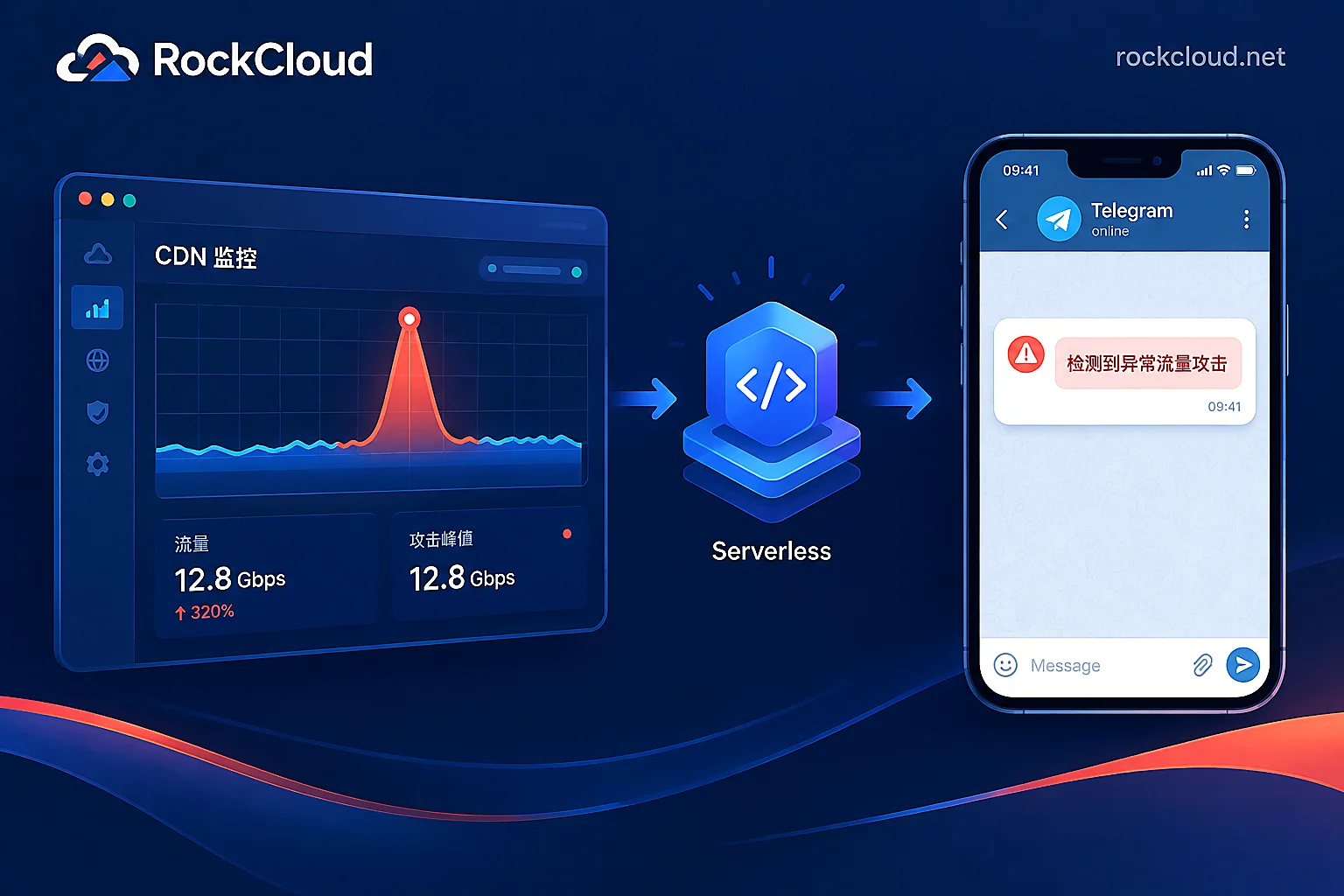
Using Cloudflare Workers for the conversion layer is the easiest: no machine to manage, and it's naturally overseas. The core logic is just this:
export default {
  async fetch(request, env) {
    const e = await request.json();

    // 按你的 CDN 实际字段名改这几行
    const text =
      `⚠️ ${e.alert_type || 'CDN 告警'}\n` +
      `域名: ${e.zone_name || e.domain || '-'}\n` +
      `级别: ${e.severity || '-'}\n` +
      `时间: ${new Date().toISOString()}\n` +
      `详情: ${(e.text || JSON.stringify(e)).slice(0, 800)}`;

    const r = await fetch(
      `https://api.telegram.org/bot${env.BOT_TOKEN}/sendMessage`,
      {
        method: 'POST',
        headers: { 'content-type': 'application/json' },
        body: JSON.stringify({ chat_id: env.CHAT_ID, text }),
      }
    );
    return new Response(r.ok ? 'ok' : 'fail', { status: r.ok ? 200 : 502 });
  },
};
A few pitfalls to watch out for:
- Put the Token in environment variables, not hardcoded in the script. Workers use Secrets; Lambda uses environment variables or secret management.
- Don't rush to enable
parse_mode. When using Markdown or HTML formatting, if the alert text contains_,*,<, or unclosed backticks (common in URLs and User-Agents), Telegram will return 400 and the alert won't be sent. If you want formatting, do proper escaping, or run plain text first. - Add a random path or validation parameter to the Webhook URL, otherwise anyone can flood your ops group.
- Truncate length. A single message is limited to 4096 characters. Raw JSON with a bunch of log fields will exceed the limit;
slicefirst. - Have a fallback for forwarding failures: when Telegram returns non-200, write the original payload to logs or another channel. Don't let errors silently disappear.
Path 3: Scheduled Aggregation—Send Daily Reports, Not Alerts
Data like traffic consumption, cache hit rate, Top visited URLs, and Top blocked IPs are not "events". Webhooks won't push them; you have to pull them yourself: use CDN log dumps (like Logpush) or OpenAPI to query metrics, aggregate hourly or daily with a Python/Node script, then call sendMessage to send to a separate "daily report channel".
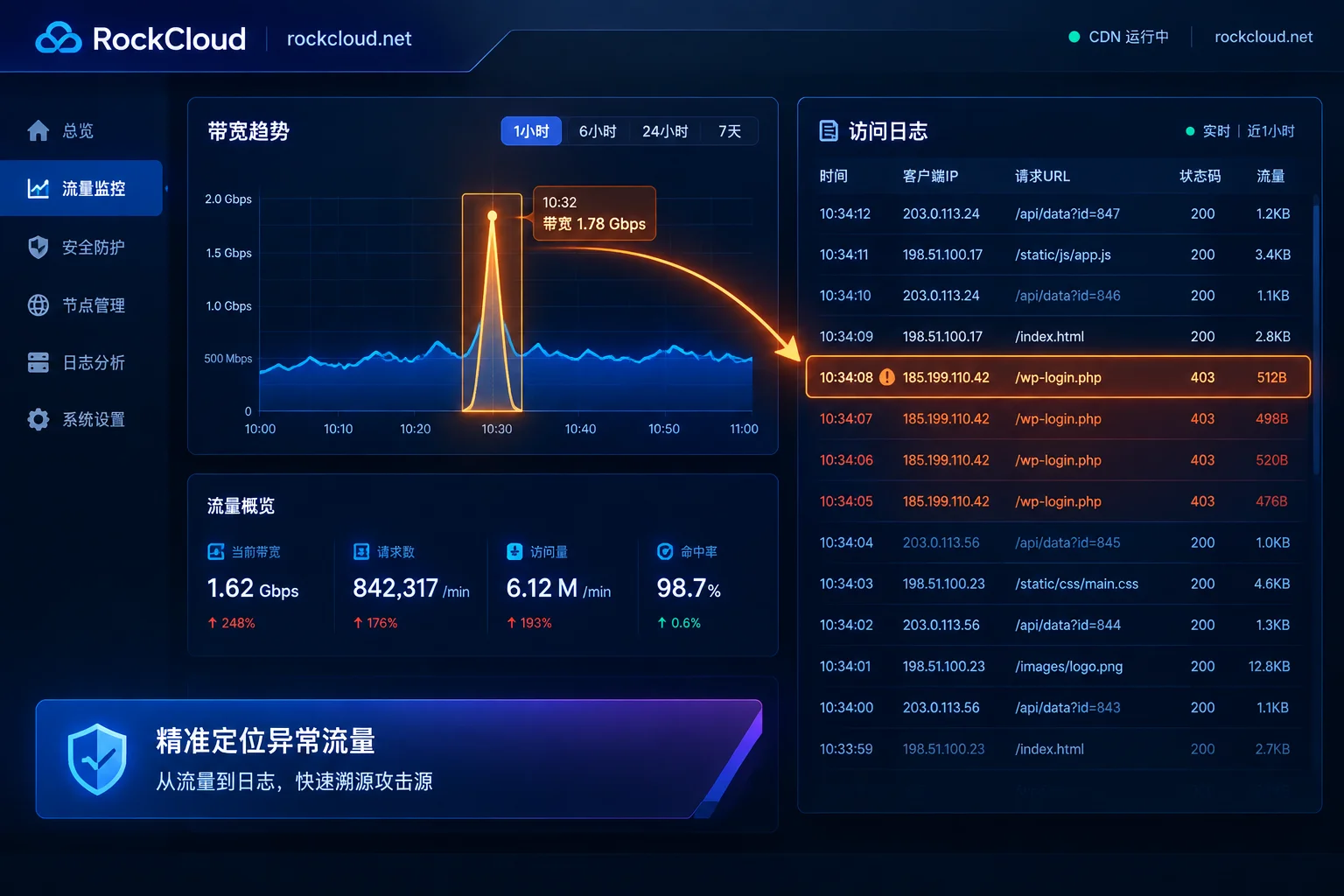
Separating daily reports and alerts into two groups is a very practical habit—the alert group stays quiet; when it rings, it's real. The daily report group can be browsed freely without disturbing on-call staff. What's worth including in the daily report: total bandwidth and peak time yesterday, hit rate changes, 5xx percentage, Top sources of blocked requests. To investigate a specific anomaly, go back to the console for details; see How to Check Traffic and Network Logs in the CDN Console.
Two Unavoidable Issues: Rate Limiting and Alert Storms
Telegram has hard rate limits. A single group is typically limited to 1 message per second, and about 30 messages per second across all chats. Normally it doesn't matter, but the problem arises during CC attacks or mass origin 5xx: rules trigger repeatedly, hundreds of alerts per minute, and after exceeding the limit, the Bot API returns 429 Too Many Requests. Subsequent messages are either dropped or queued for minutes—exactly when you need alerts the most, the channel goes silent.
So the push service must include convergence, at least:
- Deduplicate by fingerprint: use
域名 + 事件类型 + 级别as the key, stored in KV/Redis; within a 5-minute window, only the first is sent, subsequent ones only increment a counter. - Send a summary at the end of the window: "318 similar alerts in the past 5 minutes, peak QPS xxx" is far more useful than 318 spam messages.
- Also send recovery: if you only send triggers and not recoveries, the group never knows if the issue is over, and on-call staff must check the console themselves.
- Handle 429: read
retry_afterin the response and back off/retry accordingly. Don't resend in place and worsen the rate limit.
The relay service must be overseas. Domestic servers directly connecting to api.telegram.org face cross-border connectivity restrictions; a script that runs fine locally will time out when deployed to a mainland machine. Workers, overseas VPS, or Lambda in overseas regions are all fine. Don't put this layer on the protected origin—when the origin is down, alerts go down with it.
Three Final Actions Before Going Live
- Rehearse a real trigger, not just clicking the test button. Shut down an origin port, or hit a protected path with a stress tool, and confirm the message actually arrives in the group with understandable content about which domain and rule.
- Add a heartbeat. Send a fixed "channel OK" message daily. Otherwise, failures like the bot being kicked from the group, Token reset, or relay payment overdue are only discovered the next time something goes wrong.
- Tier and separate groups. Attack triggers and origin unreachable—those needing immediate response—go to the on-call group with sound enabled. Bandwidth thresholds, certificate 30-day expiry, etc. go to a normal group. If everything goes to the same group, people will mute it within two weeks, and the push becomes useless.
If an attack has already started and alerts aren't configured yet, reverse the order—first follow How to Quickly Restore Access When Your Website Is Under DDoS Attack to restore access, then come back to set up the notification chain.


Comments(0)